


The Memory Orb — Crystal Ball Video & Photo Player (2.76 in)
The Memory Orb — Crystal Ball Video & Photo Player (2.76 in)
🎞️ Your video or photos play on a soft, glowing loop
🔊 Built-in speaker with adjustable volume
🔋 Rechargeable through USB-C, cable included
💻 Loading a video needs a Windows PC (photos are .jpg)
Couldn't load pickup availability

The Memory Orb — Crystal Ball Video & Photo Player (2.76 in)
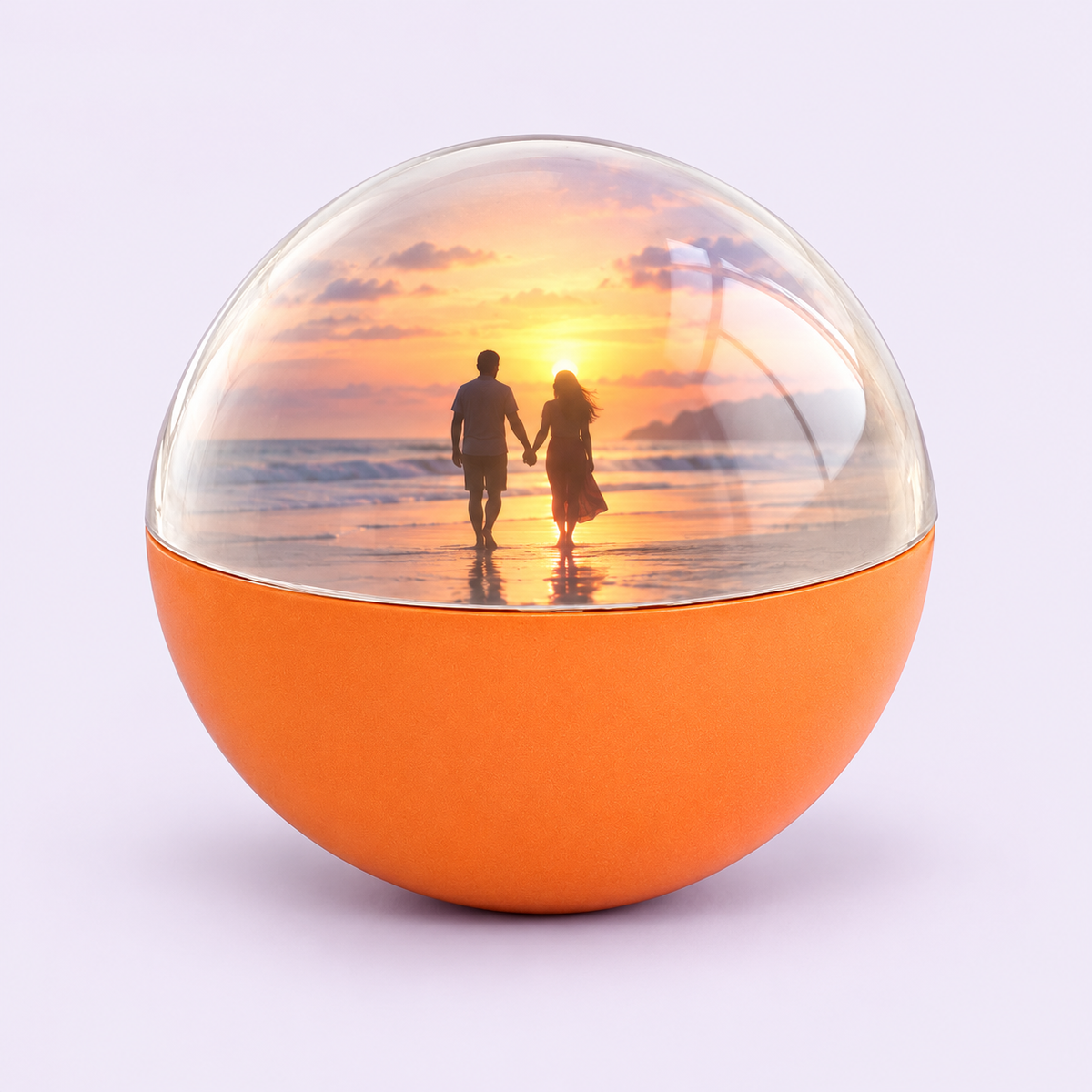
Your favorite moment, playing on a soft, glowing loop. The Memory Orb is a 2.76 in (7 cm) sphere with a 480×480 screen inside a clear dome. Load a video or a set of photos and give a moment they can see every day: on a shelf, a desk or a nightstand.
What it does
- Plays your MP4 video on a loop. With no video loaded, your .jpg photos cycle on their own.
- Built-in speaker with adjustable volume.
- One dial for power, play/pause, previous/next and volume.
- Rechargeable lithium-ion battery, charged through USB-C.
Before you buy
- Videos must be converted to square 480×480 MP4 with the maker's software, which runs on Windows only. Mac is not supported for video conversion.
- Photos are standard .jpg files.
- Files are loaded from a computer over the included USB cable, not from a phone.
Specs
- Size: about 2.76 in (7 cm) diameter
- Display: 480×480
- Files: MP4 video (up to 480×480), JPG photos
- Colours: white, black, blue, pink, orange lower shell
- Port: USB-C
In the box
- 1 × Memory Orb
- 1 × USB data and charging cable
Care and safety
Keep dry and away from heat and humidity. Do not crush or drop. Clean with a soft cloth. Contains a lithium-ion battery; recycle according to local rules. Not suitable for children under 14.
Compatibility
Compatibility
To add your own video, you need a Windows PC: videos are converted with the maker's Windows software to the orb's square 480×480 MP4 format. Mac computers are not supported by the maker for video conversion.
Photos are standard .jpg files copied into the orb's image folder over the included USB cable.
Shipping
Shipping
Shipping options and costs are shown at checkout. Buying for a date? Check our shipping policy before you order.
Returns
Returns
Please read our refund policy before ordering.
Need help with setup?
Need help with setup?
Email info@memoriesinprints.shop with your order number and we will walk you through it, one step at a time.



A gift they can see every day
Made for the moments that matter
A first dance, a baby's laugh, a grandparent's hug, a dog racing across the yard. Pick the moment they love most and give it a place on the shelf, glowing softly in a 2.76 in sphere.
Made for anniversaries, Christmas, Valentine's Day, Mother's and Father's Day, or simply remembering someone.

Honest setup, explained
Loading your moment takes a few minutes
The orb connects to your computer with the included USB-C cable and opens like a USB drive. Photos go in one folder, videos in another. Videos play first; with no video loaded, your photos cycle on their own.
Video files need converting on a Windows PC first. The steps below show exactly how.
How to load your moment
Testimonials
-

Awesome product! I got it as an anniversary gift for my wife and she loves it.
-

product ok, quality ok, delivery ok. The problem is that they ask to install a software that is only free for 7 days and the videos I created myself do not restart once they finish. I will check which format is required to avoid having to download their software.
-

Got this as a gift for my boyfriends family and they love it. You can do images and videos and it’s brilliant wuality.


Specs and what's included
Size and design
Size and design
Sphere about 2.76 in (7 cm) across. Clear upper dome with a plastic lower shell in white, black, blue, pink or orange. Small enough to hold in one hand.
Screen and files
Screen and files
Square 480×480 display inside the dome. Videos: MP4 up to 480×480, converted with the maker's Windows software. Photos: .jpg.
Playback, sound and controls
Playback, sound and controls
Videos in the video folder play first. If the video folder is empty, photos in the image folder cycle automatically. Built-in speaker on the back.
Dial: press to power on or pause/play, hold 3 s to power off, push left/right for previous/next, hold left/right 2 s for volume.
Power
Power
Built-in rechargeable lithium-ion battery, charged through the USB-C port. Charge fully before first use.
Computer needed
Computer needed
Windows PC for video conversion and loading. The maker does not support Mac for video conversion.
In the box
In the box
1 × Memory Orb, 1 × USB data and charging cable. Stands and straps shown in some photos are not included.
Care and safety
Care and safety
Keep dry and away from high heat and humidity. Do not crush or drop. Clean with a soft cloth, no solvents. Contains a lithium-ion battery: follow charging instructions and recycle it according to local rules. Not suitable for children under 14; small parts.
Questions before you gift
I only have a Mac. Can I still use it?
I only have a Mac. Can I still use it?
The maker supports video conversion on Windows only. If you don't have a Windows PC, a friend's or family member's computer works too. If you're unsure, email us before ordering.
Can I load it from my phone?
Can I load it from my phone?
No. Files are loaded from a computer over the USB cable. Send the video from your phone to your computer first.
Can I use photos instead of a video?
Can I use photos instead of a video?
Yes. Put .jpg photos in the image folder and leave the video folder empty. The photos cycle on their own.
Will it arrive in time for my occasion?
Will it arrive in time for my occasion?
Delivery times are in our shipping policy and at checkout. For a date that matters, order early.
Can I return it?
Can I return it?
See our refund policy for the details.